%20RGB.png?width=2000&height=791&name=Breww-Logo-(Cream)%20RGB.png)
Industry insights
.png?width=1920&height=1080&name=Whats%20brewwing%20blog%20%20(1).png)

Summer has arrived, the World Cup has kicked off, and for many breweries it’s one of the busiest times of the year.
When there’s more beer moving through production, more orders being managed and more information to keep track of, having the right details available when you need them makes a difference.
This month’s updates focus on giving teams clearer ways to compare batches, capture production information, manage orders and keep key details organised.
Here’s what’s new...
You can now build saved batch comparison dashboards to track readings across multiple batches of the same recipe.
Compare things like temperature, gravity, pH, input variables and calculated variables, with your chosen benchmark batch included in comparison graphs.
A clearer way to review how batches compare over time.
They’ll sit alongside your manual reading alerts, and each calculation action includes a new “Show alerts on the Production Dashboard” option, so you can choose which calculations appear.
More of your production information, visible where your team is already looking.
Brew sheet “Take reading” actions have been expanded, giving you more options without needing to use Custom readings.
You can now capture:
Each reading type includes relevant units, such as IBU, EBC/SRM, bar/psi and g/l.
The reading picker has also been redesigned with a cleaner, searchable layout, and the new reading types work with calculated variables and recipe file import/export.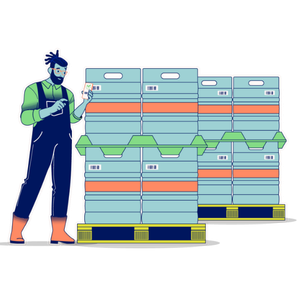
Adding products to an order has been streamlined, making it quicker to find, select and price items while creating a draft order.
It’s now easier to enter common quantities, and when adding multiple items you can return straight back to the Product finder with the same search results still available.
A small update to help you find the products you’re looking for.
Choose from:
Cost
The existing default option, which values packaged beer based on production cost.
Sale price
A new option that values products using their sale price from a selected price book.
You can choose a specific price book, or use your default price book each time a valuation runs. Your valuation report will show which method and price book were used.
This only affects finished goods. WIP beer, serving batches, stock items and ingredient batches continue to be valued at cost.
Got an idea for a feature or improvement? Share it in the Breww Community Forum. Many of these updates start as suggestions from breweries using Breww day to day.
Want to see how Breww works in practice?
You can explore the platform using a test brewery account, loaded with example data so you can click around, try features and see how everything fits together.
There’s no payment details required, and no pressure. Just a practical way to explore Breww in your own time and see whether it could work for your brewery.